App Features
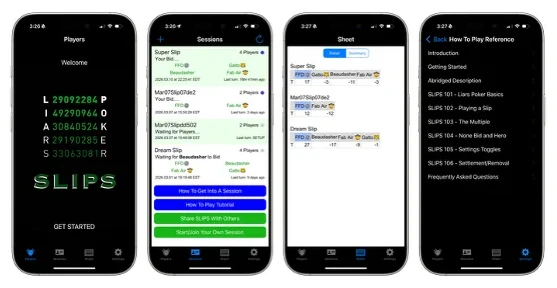
Everything is handled within Four tabs (Players, Sessions, Sheet, and Settings)
Players simply shows the Welcome screen and takes you to the Sessions tab when you tap GET STARTED
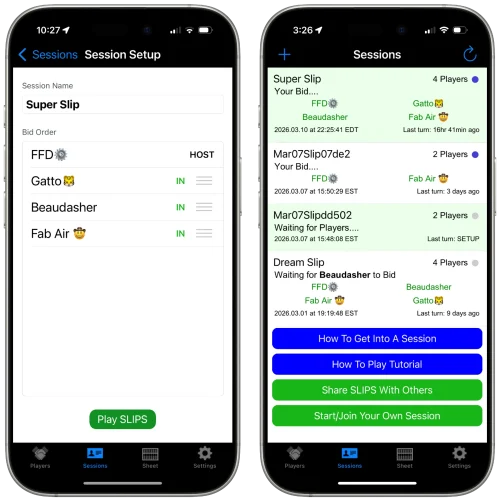
Sessions is where SLIPS games (Sessions) are started and accessed. You can have multiple Sessions going on with different sets of players. Tap on a Session entry to access your Game Console. Tap + at top left or Start/Join Your Own Session to start a new game. Pick how many players in total and tap Next, then Invite Friends from your Contacts or Friends list. Once everyone checks in and the Host taps Play SLIPS in Session Setup you’re directed to the Game Console and the game is on!
The Game Console is of course where SLIPS action happens. It shows your hand, and the buttons light up when it’s your turn to Bid, Challenge or Count. A History window tracks all the action and reveals who won/lost at the end of each hand.
Sheet is where your profit/loss is tracked, with an entry for each Session. You can also see a Summary of everyone’s profit/loss across all Sessions.
Settings houses game related toggles, comprehensive How To screens/diagrams and general info/functions,
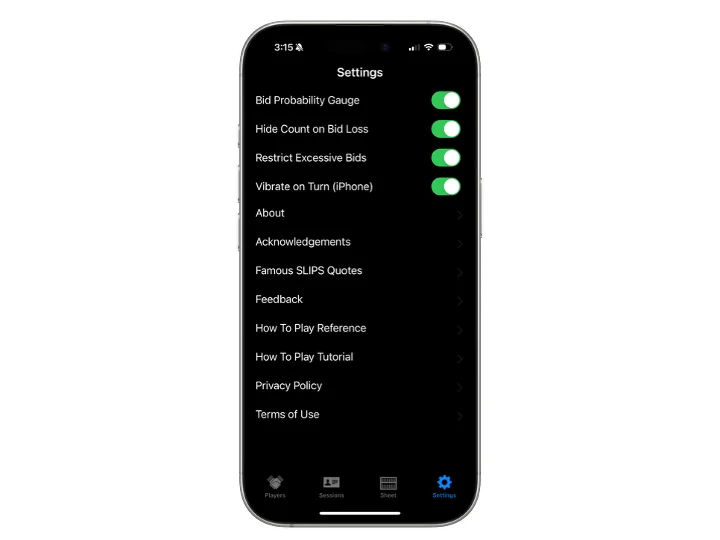
Settings Toggles:
Bid Probability Gauge. A percentage value appears at the bottom middle of your Game Console and gives the statistical probability of success for the current Bid. However, given that your opponents may be lying or are more likely to challenge when they don’t have any, this is not necessarily the best predictor of success. It just answers the question, “what are the odds?”
Hide Count on Bid Loss. Allows an unsuccessful bidder to hide how many of the number Bid were present in their own hand. On winning Bids, the full total is always disclosed.
Restrict Excessive Bids. Prevents players from making outlandishly high bids in order to drastically boost the multiple.
Vibrate on Turn (iPhone). Vibrates iPhone upon player’s turn if Sound Settings for vibrate are enabled and SLIPS is in the foreground.
See Settings > How To Play Reference in the app for full details.